Asset Management
Know which assets you own, who holds them and where.
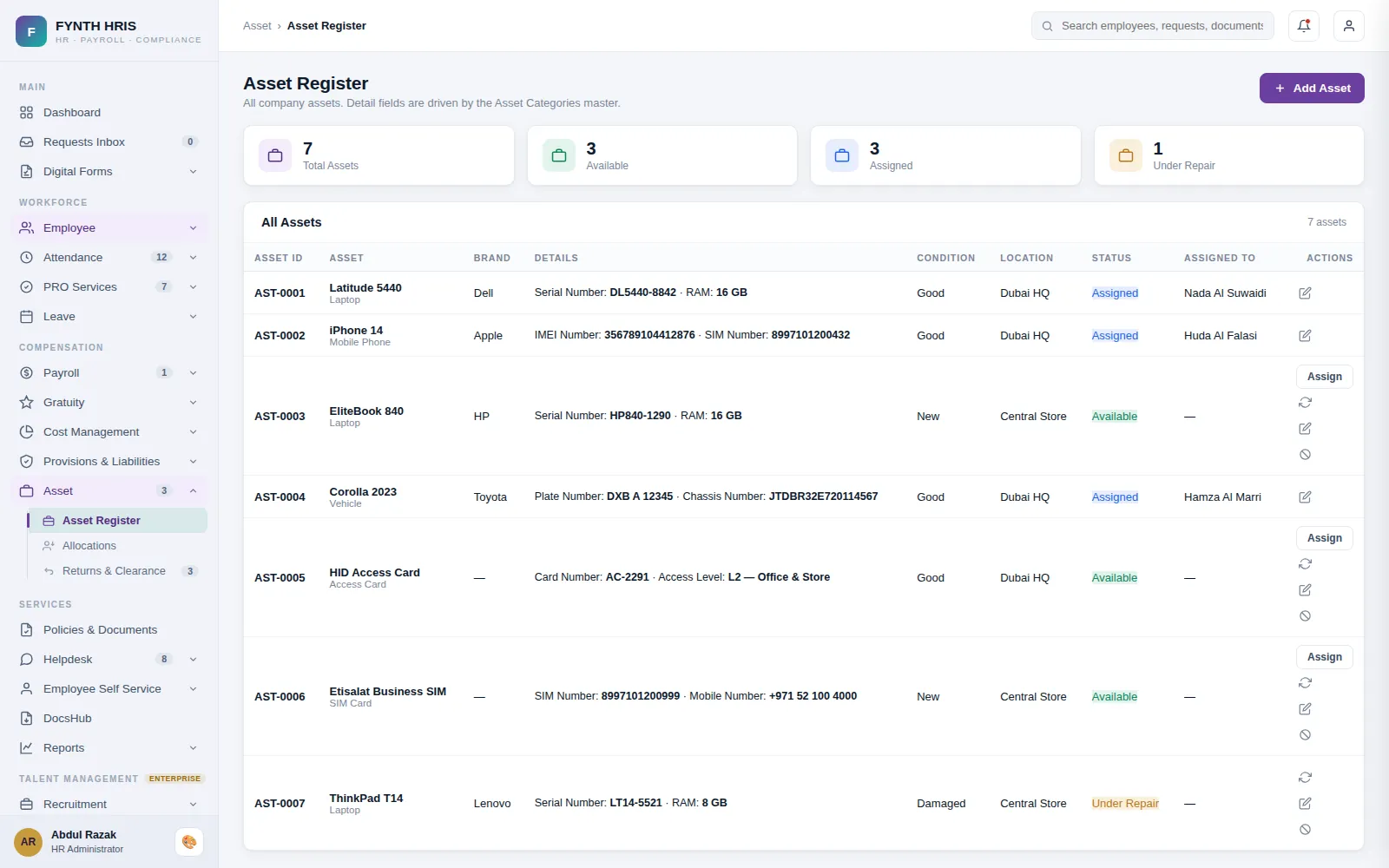
Live screen from FYNTH HRIS · sample data
Asset Management Sub-Modules
Everything this module does, on the same employee record the rest of FYNTH HRIS reads from.
Keep a systematic record of each asset: acquisition cost, original service life, remaining useful life, physical condition and depreciation rule.
Allocate assets to employees after approval, and view assigned assets by employee, period and location.
Employees request assets as a requirement or benefit through self-service, subject to approval.
The Screens Your HR Team Will Use
Each one is a working part of the module, not a settings page bolted on afterwards.
-
Asset RegisterAll company assets. Detail fields are driven by the Asset Categories master.
-
AllocationsAssign available assets to employees with handover condition and acknowledgment
-
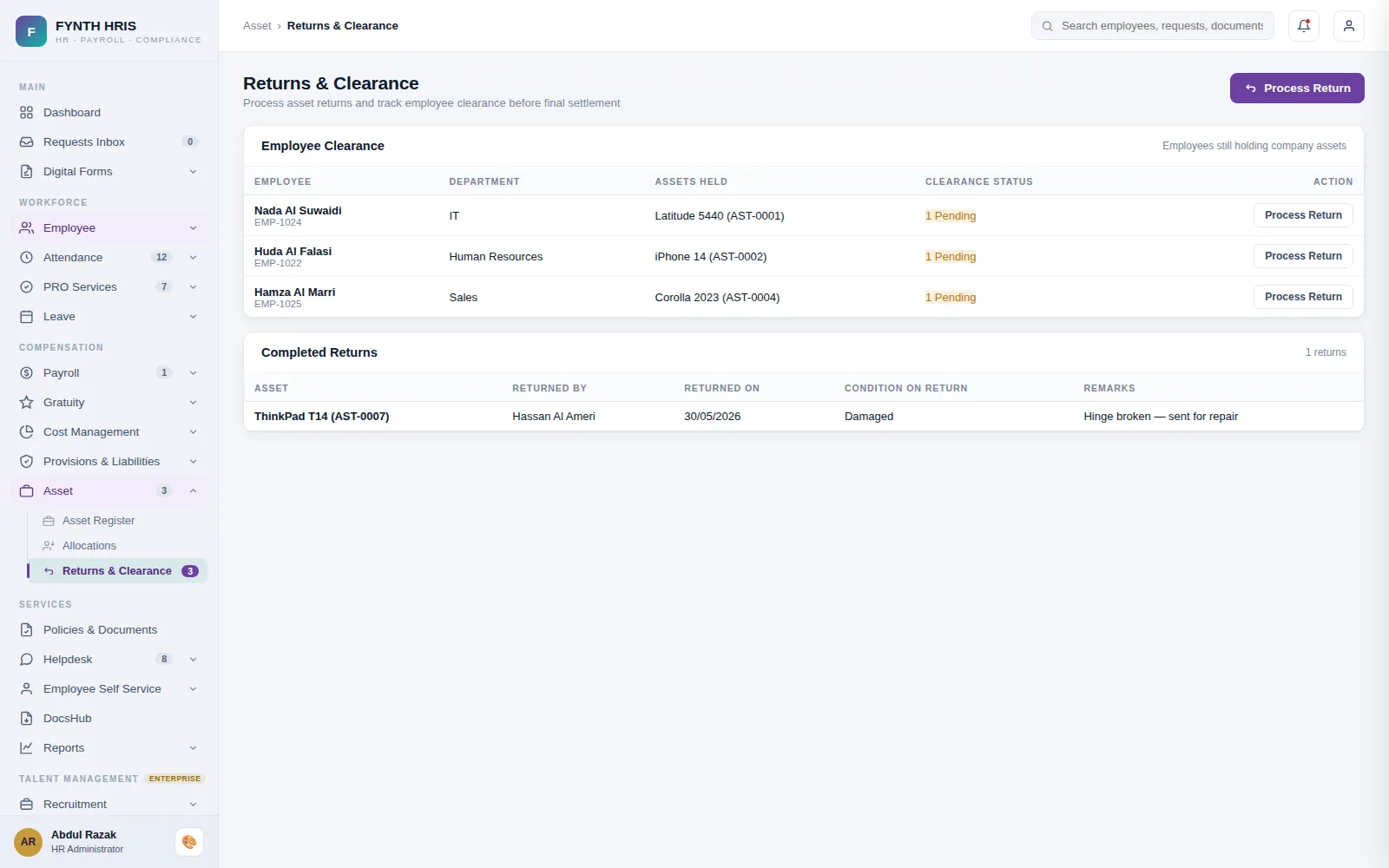
Returns & ClearanceProcess asset returns and track employee clearance before final settlement
Live screen from FYNTH HRIS · sample data
From Setup to Everyday Use
Configure it once, then the module runs with the rest of the system rather than beside it.
Categories drive the detail fields, so a laptop and a vehicle each capture what matters.
Assign to an employee with handover condition recorded and the employee acknowledging receipt.
Returns are inspected and logged, and clearance is checked before the final settlement is released.
Modules That Work with This One
Every module writes to one employee record, so nothing is re-keyed between them.
See Asset Management with Your Own Data
A specialist will walk you through the module using your company structure, headcount and policies.