Employee Master
A complete, searchable record of every employee, their dependants and their documents.
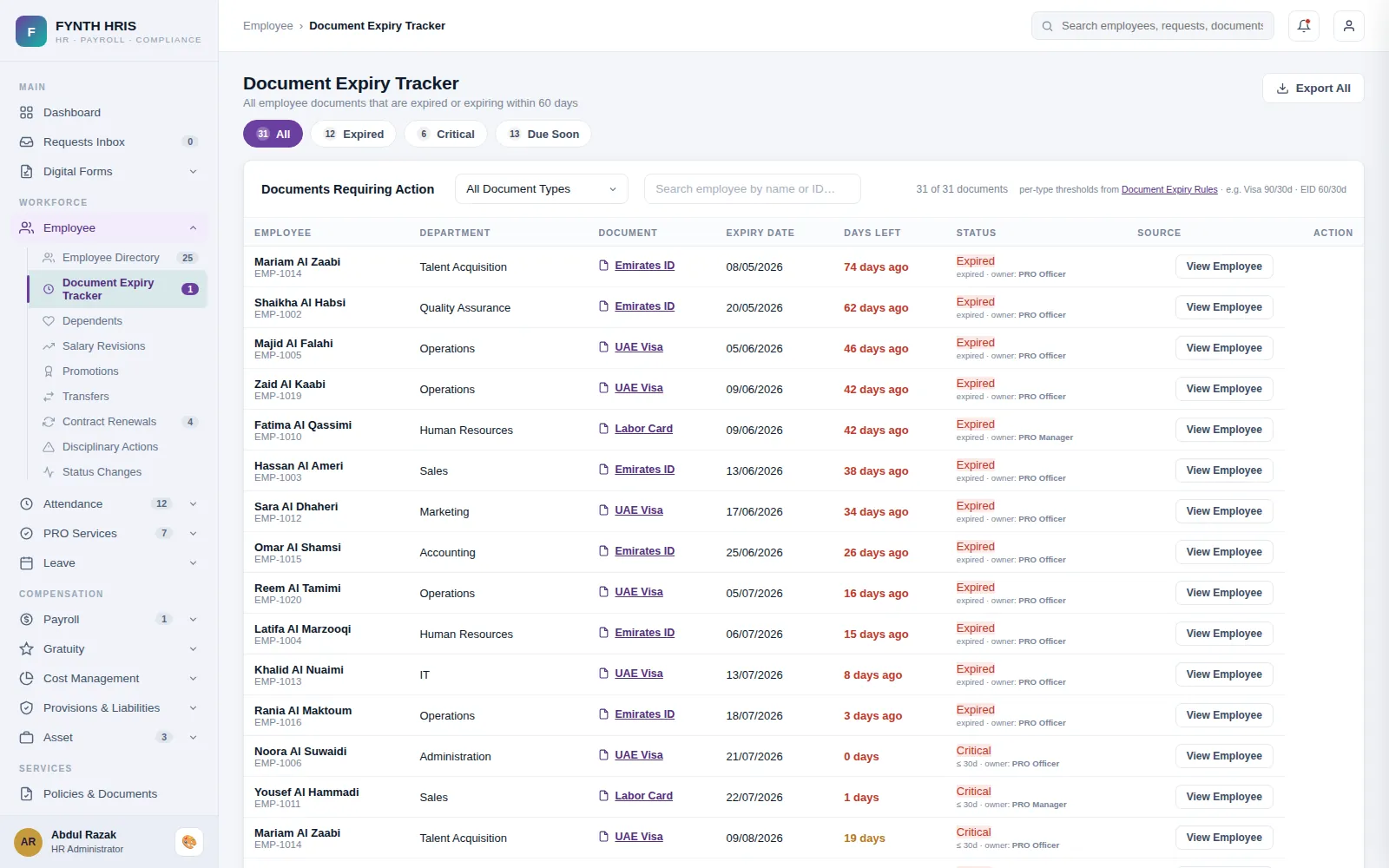
Live screen from FYNTH HRIS · sample data
Employee Master Sub-Modules
Everything this module does, on the same employee record the rest of FYNTH HRIS reads from.
Keep full employee details: profile, bank details, passport and visa, insurance card, experience, qualifications, expense claims, leave history, loans, advances and salary.
Maintain dependant profiles, relationships, passports, visas and insurance, and track document expiry and company-provided benefits.
Process and approve engagements, suspensions, reinstatements, transfers, terminations, resignations and absconding cases.
Smart alerts make sure the expiry of every employee document is reported on time.
Store identity documents securely in one place, find them quickly with powerful search, and keep a full history of records.
A clear view of reporting lines and hierarchy helps employees contact the right person and makes workload planning easier.
The Screens Your HR Team Will Use
Each one is a working part of the module, not a settings page bolted on afterwards.
-
Employee DirectoryAll employee records across the organization, driven by Employee ID
-
Add EmployeeNew record will be assigned the next Employee ID in the selected series
-
DependentsFamily members registered under employees, with visa, Emirates ID, passport and insurance documents
-
Status ChangesEmployee separation & offboarding - initiate → validate → notice/LWD → approve → offboard → settlement → close → Active → Separated
-
Disciplinary ActionsReport → Investigate → Hear the Employee → Finding → Action → Approve → Execute - confidential, audit-trailed case management
-
Contract RenewalsExpiry pipeline with proactive alerts, renewal / renew-with-changes / non-renewal decisions, approvals and full contract history
-
Employee TransfersOrganizational movement - entity, branch, department, position, manager, schedule - permanent or temporary, with full assignment history
-
PromotionsControlled position changes - designation, grade, department and reporting line, with linked salary revisions, effective dating and approvals
-
Salary RevisionsIncrements, promotions and corrections - with effective dating, arrears, multi-level approval and full salary history
-
Document Expiry TrackerAll employee documents that are expired or expiring within 60 days
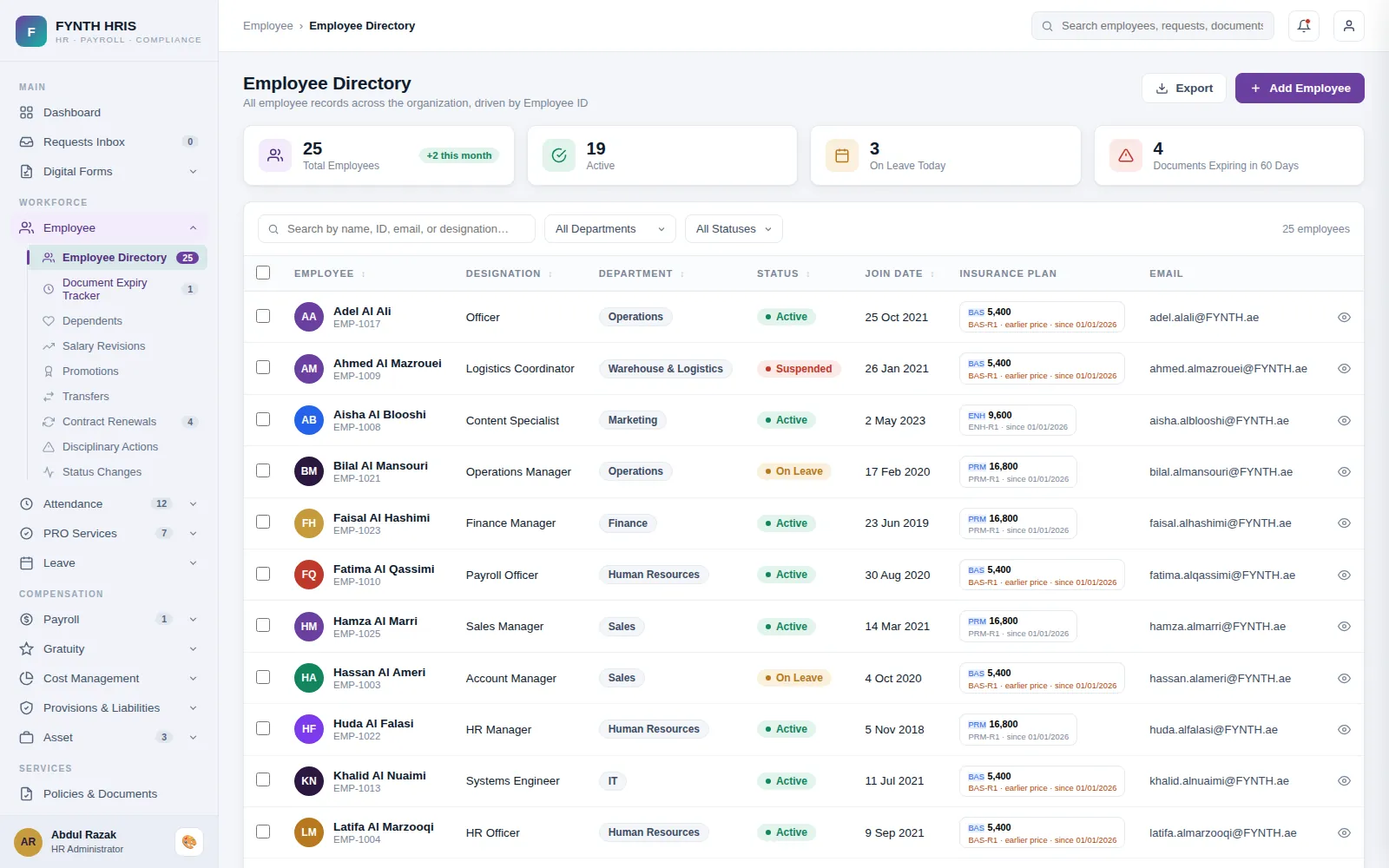
Live screen from FYNTH HRIS · sample data
From Setup to Everyday Use
Configure it once, then the module runs with the rest of the system rather than beside it.
One employee ID, assigned from the series you choose, carrying profile, contract, bank, passport and visa in a single record.
Transfers, promotions, salary revisions and status changes each run their own approval chain and write back to the same record.
The document tracker flags anything expiring in the next 60 days, so visas and Emirates IDs never lapse unnoticed.
Modules That Work with This One
Every module writes to one employee record, so nothing is re-keyed between them.
See Employee Master with Your Own Data
A specialist will walk you through the module using your company structure, headcount and policies.