Attendance & Shifts
Shifts, rosters, devices and timesheets connected to payroll.
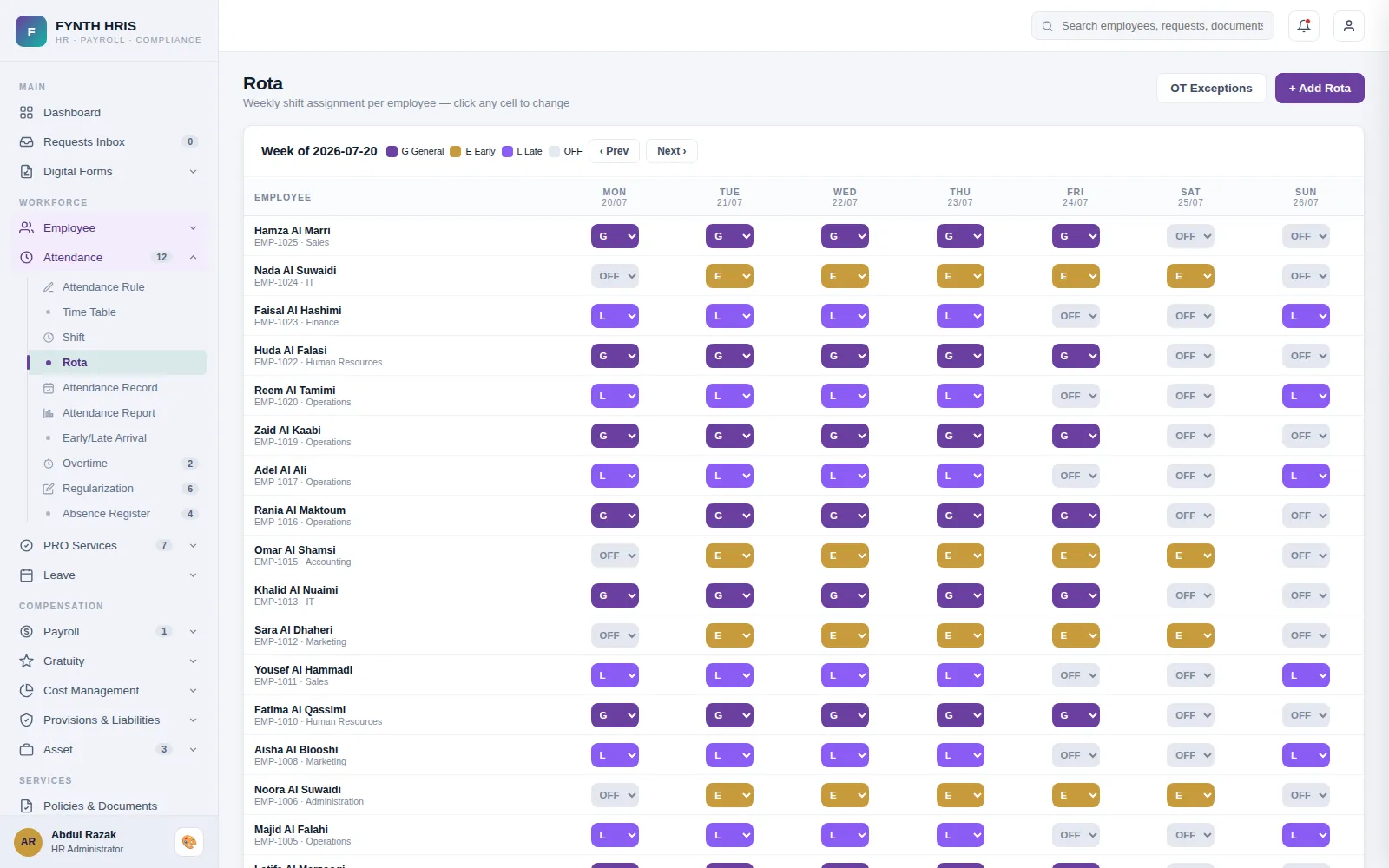
Live screen from FYNTH HRIS · sample data
Attendance & Shifts Sub-Modules
Everything this module does, on the same employee record the rest of FYNTH HRIS reads from.
Set break times per shift, mark them payable or non-payable, and control attendance regularisation and shift scheduling.
Assign shifts per employee, map IDs to biometric devices, maintain attendance records and override rosters temporarily.
Convert absences to leave in a few clicks instead of adjusting records by hand.
Connect biometric and other attendance devices through APIs to capture check-in, break and check-out times.
Daily, weekly or monthly timesheets with overtime, email approval and digital signature. Approved overtime and lateness deductions post to payroll.
The Screens Your HR Team Will Use
Each one is a working part of the module, not a settings page bolted on afterwards.
-
Attendance RuleGrace, thresholds and penalty behaviour - the policy every punch is evaluated against
-
Time TableNamed daily schedules - in/out times, break and flex window
-
ShiftShifts bind a time table to working days and week-offs
-
RotaWeekly shift assignment per employee - click any cell to change
-
Attendance RecordPunch-level day view - computed against shift, rota and attendance rules
-
Attendance ReportMonthly summary per employee - July 2026 to date
-
Early/Late ArrivalIncidents beyond grace - penalty action per the attendance rule
-
OvertimeDetected from timesheet punches against each employee's shift - eligibility and thresholds come from the attendance policy, rates from the OT rules. Approved hours post to Variable Earnings.
-
Attendance RegularizationCorrect missing or wrong punches - employee requests and HR manual entries, all audit-logged
-
Absence RegisterFull days with no punches are marked Absent automatically - they stay here until converted to leave (employee applies, HR decides paid or unpaid)
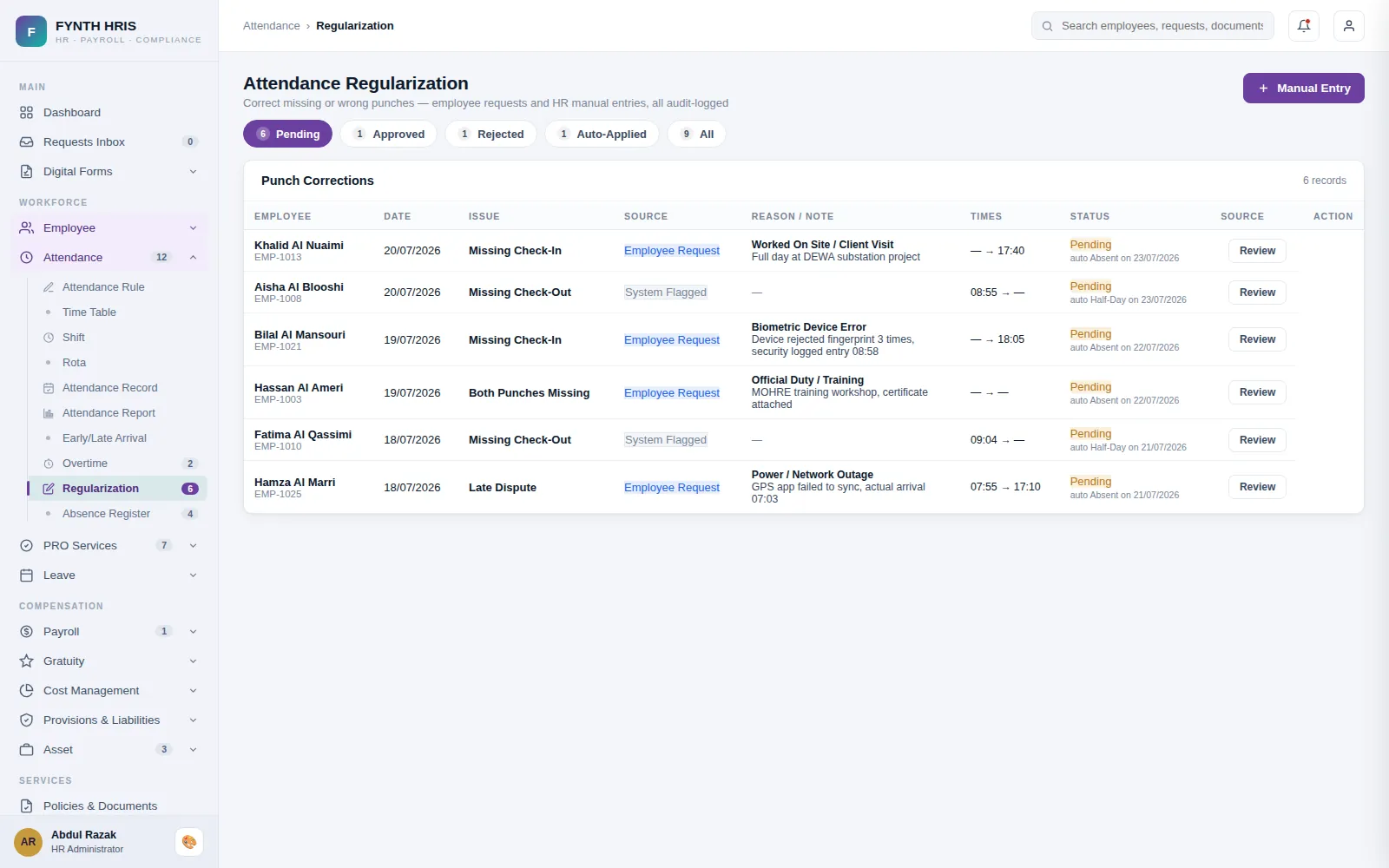
Live screen from FYNTH HRIS · sample data
From Setup to Everyday Use
Configure it once, then the module runs with the rest of the system rather than beside it.
Grace periods, thresholds and penalty behaviour are defined once as an attendance rule.
Time tables bind to shifts, shifts bind to working days, and the rota assigns them per employee per week.
Punches are evaluated against the rule. Overtime, late penalties and absences feed the pay run without re-keying.
Modules That Work with This One
Every module writes to one employee record, so nothing is re-keyed between them.
See Attendance & Shifts with Your Own Data
A specialist will walk you through the module using your company structure, headcount and policies.