PRO, Visas & Documents
Every government interaction for your people, tracked with its cost and its owner.
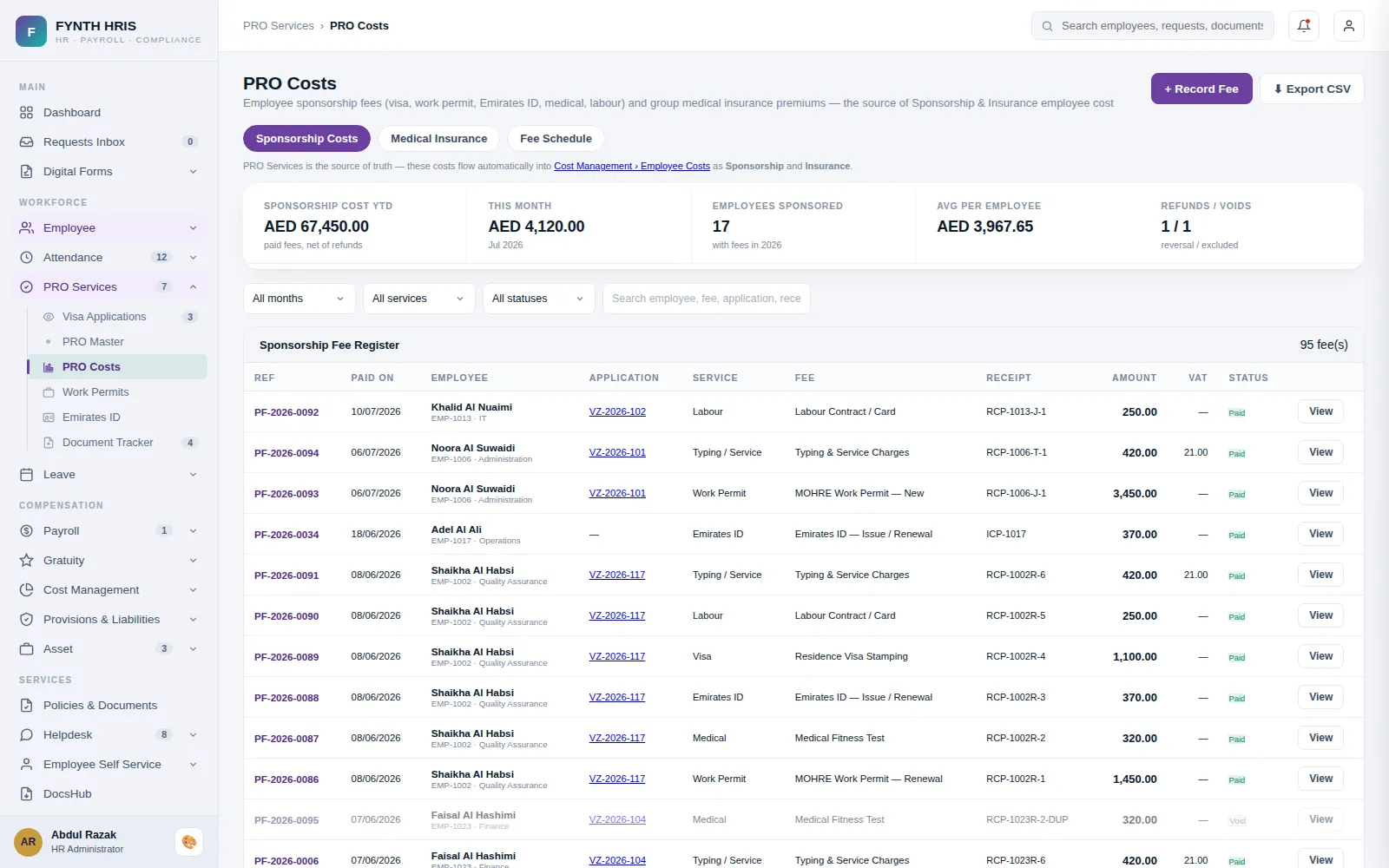
Live screen from FYNTH HRIS · sample data
PRO, Visas & Documents Sub-Modules
Everything this module does, on the same employee record the rest of FYNTH HRIS reads from.
New visas, renewals and cancellations for mainland and free zone, each tracked step by step with the responsible owner.
Emirates ID, labour cards and work permits held against the employee record with their issue and expiry dates.
A template per application type so every case follows the same steps, with nothing skipped between departments.
Government fees, typing charges and agent costs booked per application and per employee, then rolled into the cost centre.
Alerts before passports, visas, labour cards and licences lapse, sent to HR and to the employee.
A company-wide view of every document approaching expiry, filtered by department, location or nationality.
The Screens Your HR Team Will Use
Each one is a working part of the module, not a settings page bolted on afterwards.
-
Visa ApplicationsNew visas & renewals - Mainland and Freezone tracks with fully customizable process steps
-
PRO Services MasterOne configuration center for every PRO process - add, rename, enable/disable, reorder and field-configure the steps of each service
-
PRO CostsEmployee sponsorship fees (visa, work permit, Emirates ID, medical, labour) and group medical insurance premiums - the source of Sponsorship & Insurance employee cost
-
Document Expiry TrackerAll employee documents that are expired or expiring within 60 days
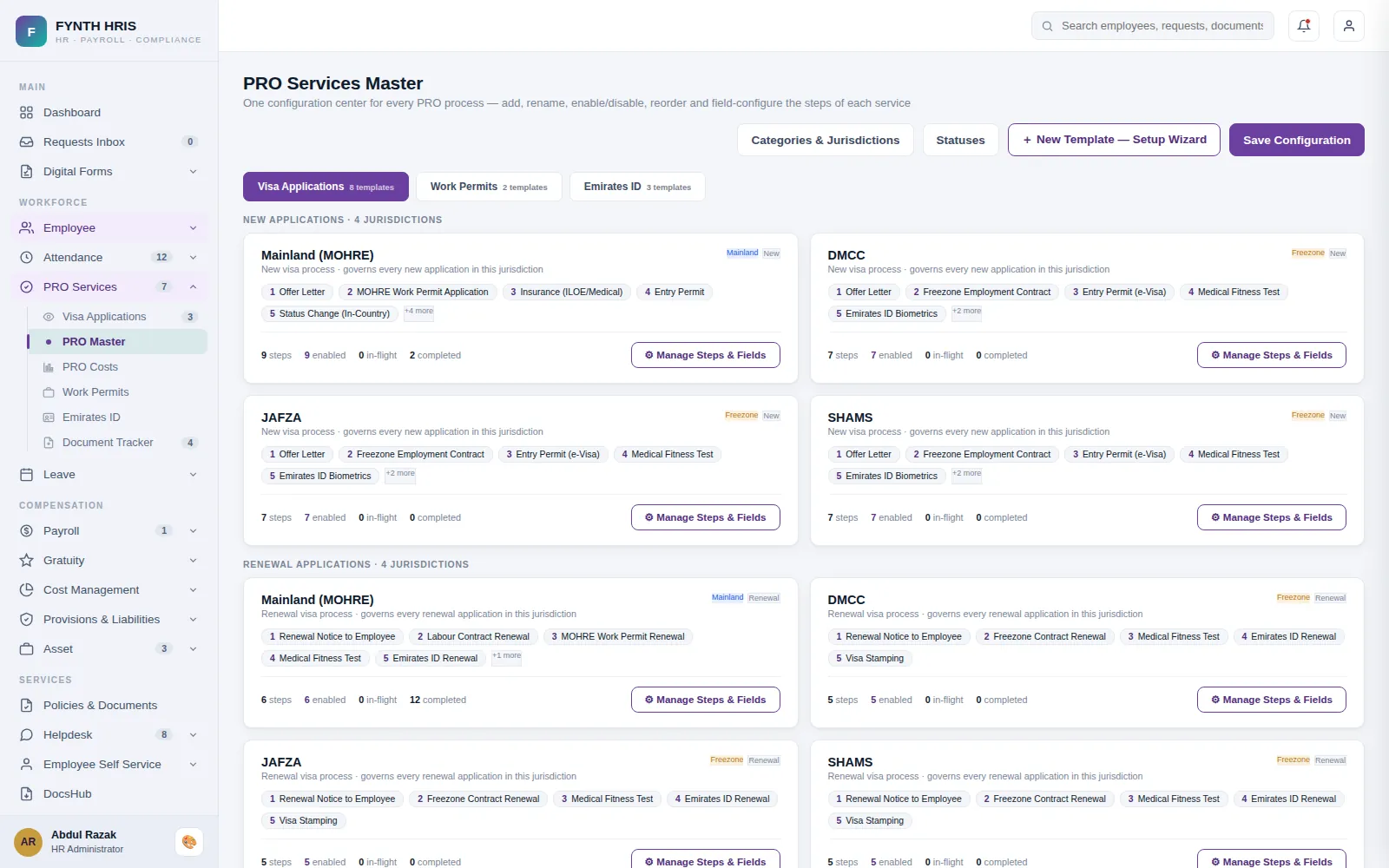
Live screen from FYNTH HRIS · sample data
From Setup to Everyday Use
Configure it once, then the module runs with the rest of the system rather than beside it.
Mainland or free zone, each with its own steps, driven by the company jurisdiction.
Every stage has an owner and a status, with typing, medical and government fees booked as they are incurred.
PRO costs post to Cost Management against the employee, and expiry alerts start the renewal.
Modules That Work with This One
Every module writes to one employee record, so nothing is re-keyed between them.
See PRO, Visas & Documents with Your Own Data
A specialist will walk you through the module using your company structure, headcount and policies.